Dial it in your way
Drag the ring, tap the BPM number for direct entry, or use the ±1 controls for exact changes.
Version 0.1.0 · Coming soon to iPhone
Tikki Takka is a focused iPhone metronome with a tactile tempo dial, tap tempo, flexible meters and subdivisions, and beat-synced visual feedback.
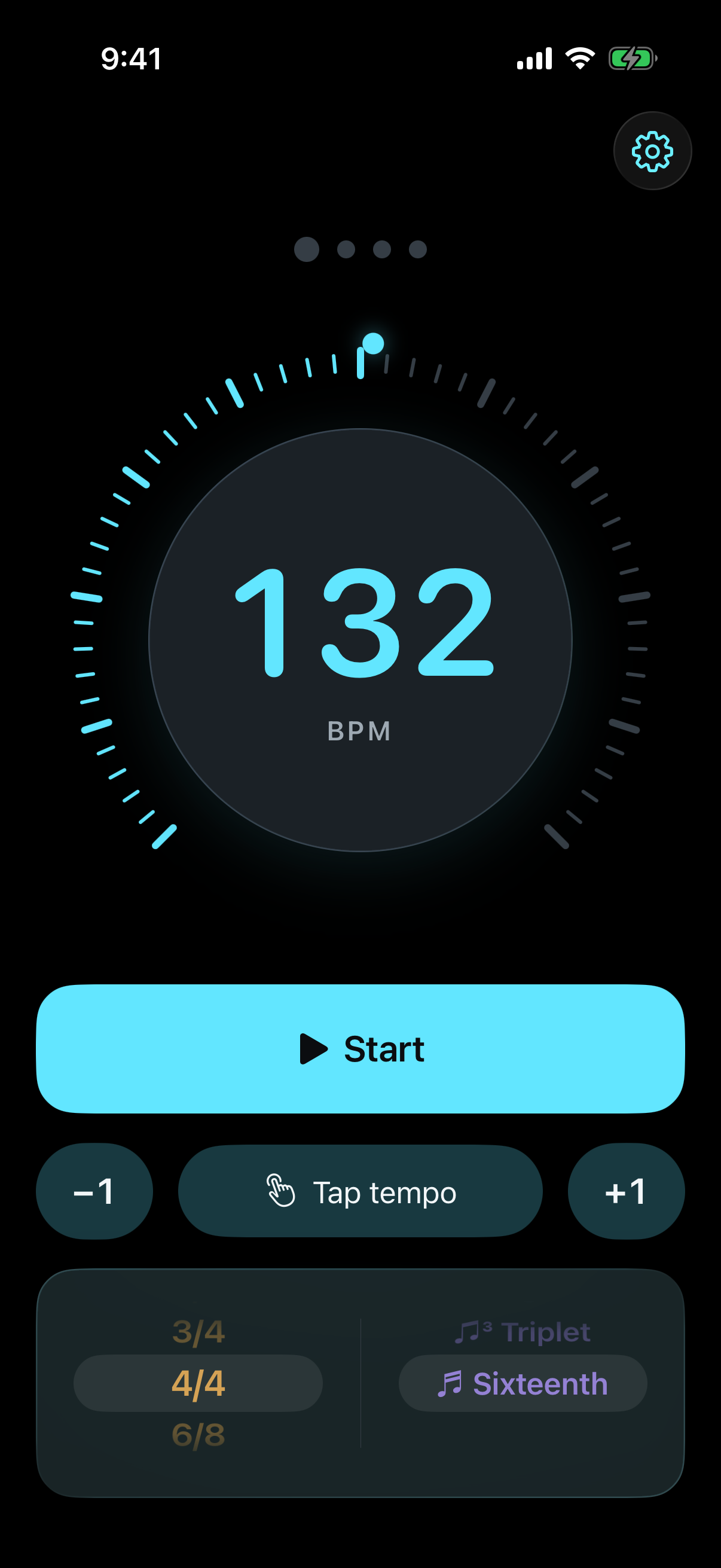
The current app
The website now follows the implementation exactly: direct tempo control, six meters, four subdivisions, persistent local settings, and visual beats synchronized to the audio engine.
Drag the ring, tap the BPM number for direct entry, or use the ±1 controls for exact changes.
Tap a pulse and Tikki Takka calculates the tempo from your timing.
Move from simple meters to compound time without leaving the main screen.
Choose quarter, eighth, triplet, or sixteenth-note subdivisions.
Amber marks the downbeat, cyan carries the remaining beats, and optional full-screen pulses keep time visible.
Tempo and rhythm preferences stay on the iPhone. There are no accounts, analytics, tracking, or cloud services.
Control preview
Adjust the same tempo range, meter, and subdivision choices used by the iPhone app. This preview mirrors the controls and visual pulse; audio is available in the app.
Visual preview only · The iPhone app provides precise audio timing
Built for practice
Tempo, transport, meter, and subdivision stay together so changes take seconds.
Your last tempo, time signature, and subdivision are waiting when you return.
Large controls, precise accessibility labels, compact-screen layouts, and optional reduced motion.
Launch alert
Copy this prompt into an AI assistant that supports scheduled tasks. It will check the public launch status once a day and notify you when the app is ready.